Consistent quality across locations
Works with the sensors you already have, so image quality holds up from office to office.

Planet DDS Imaging · formerly Apteryx
Device-agnostic cloud imaging with seamless sensor integration, embedded AI, unlimited cloud storage, and secure image sharing. Capture, view, enhance, and share X-rays from any browser.
 SOC 2 Type 2
 Works in any browser
 ISO 13485 and MDSAP
*In a clinical evaluation, dentists preferred the enhanced image 97.6% of the time over the original image.
Why cloud imaging
Move from server-based legacy imaging to secure, cloud-based imaging that captures better images, enhances them in the browser, and connects to your practice management solution.
8 on-site servers · 8 image libraries
1 cloud platform · 1 image library
There is no need to pay for increasingly larger servers as image files grow. Cloud storage scales with your practice, with offsite backups and disaster recovery for your X-rays.
Images are available from any browser, on a computer, tablet, or smartphone, 24/7, and shared securely with colleagues and specialists through a referral portal.
Open architecture works with sensors from a wide range of manufacturers and with most major practice management solutions. Whatever sensors you own now, or buy later, keep working.
The platform
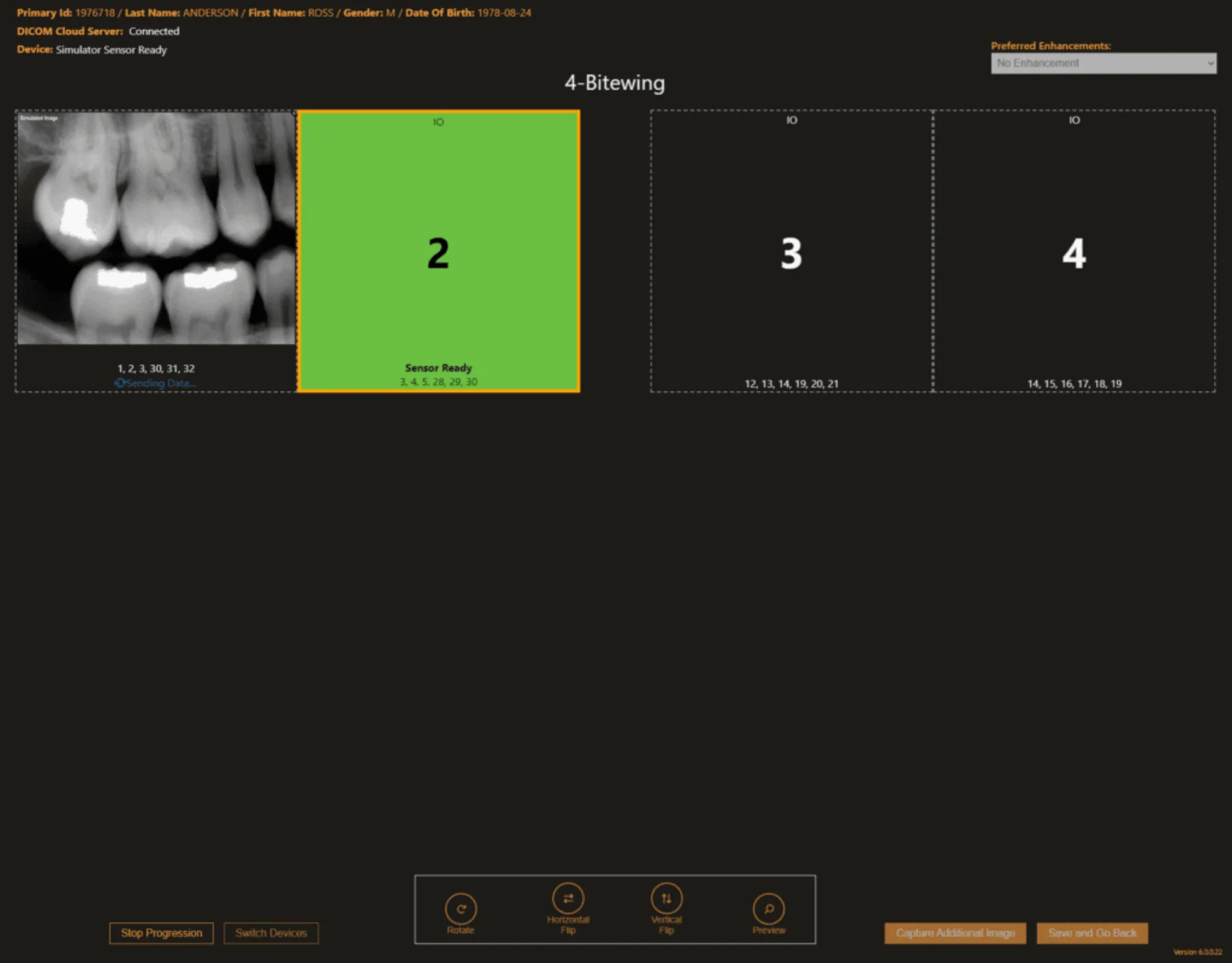
Capture, view, and enhance in one interface, from the sensors you already own.
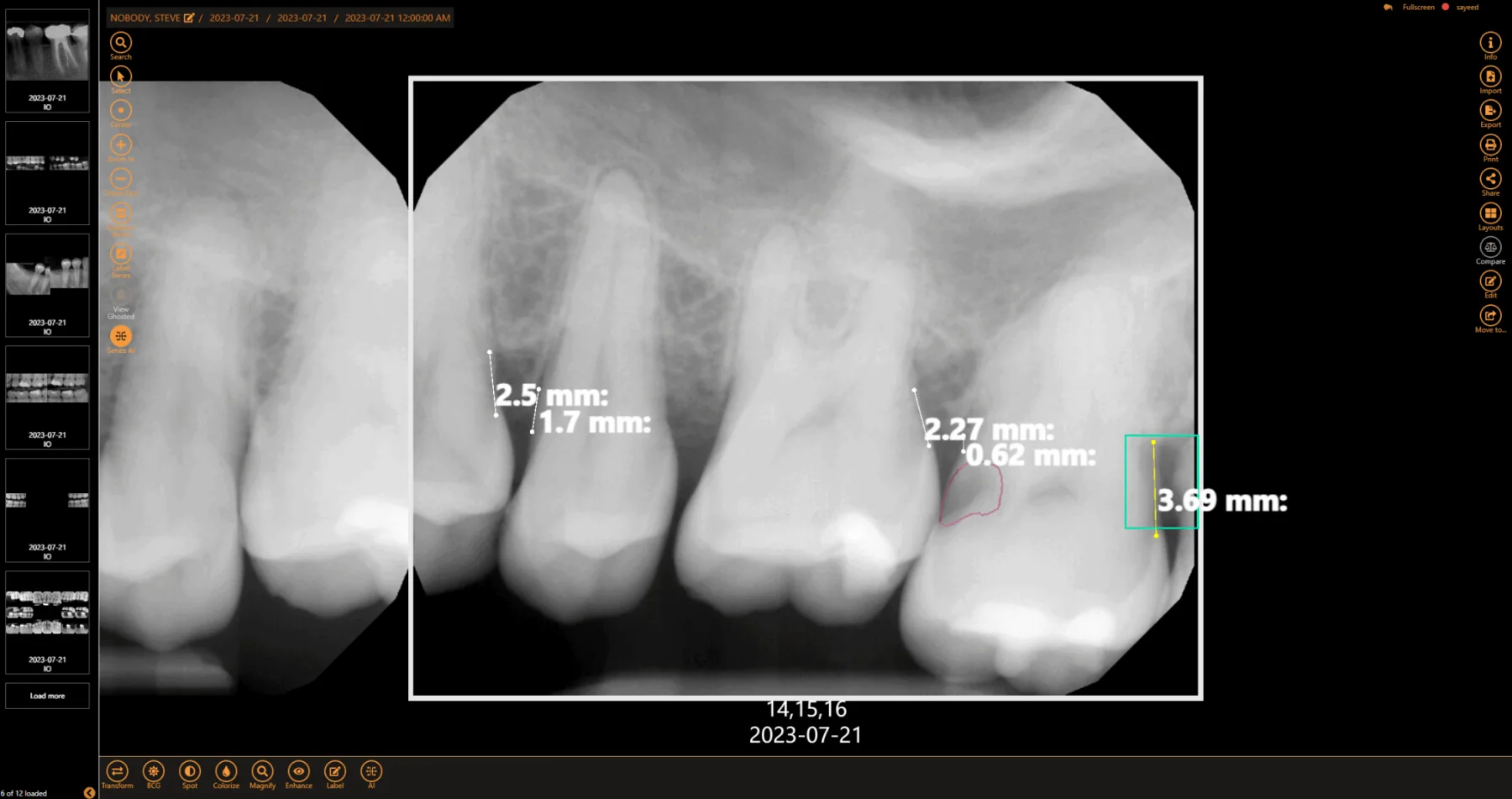
Custom clinical filters, enhancement tools, templates, and measurement tools improve diagnostic accuracy.
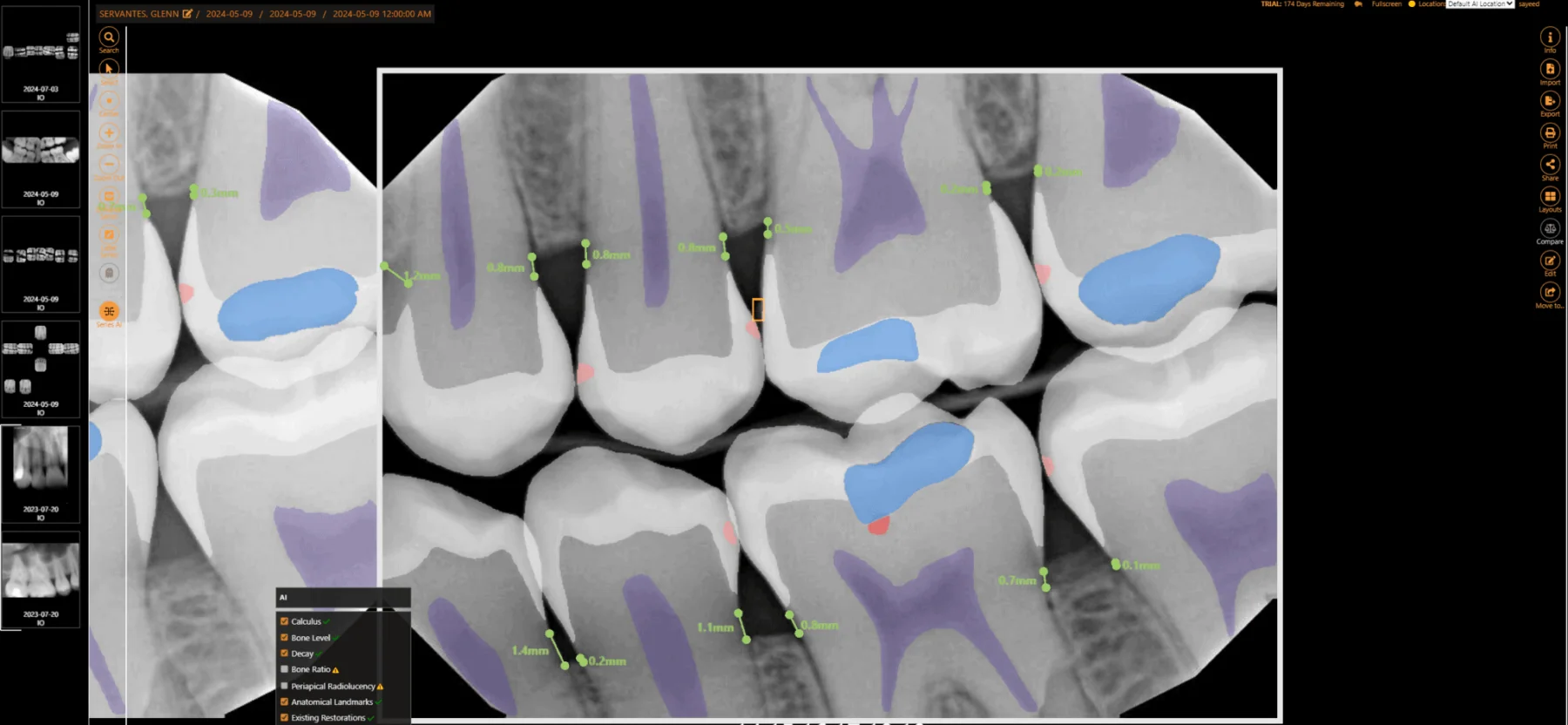
FDA-cleared AI overlays from our AI partners show decay, bone levels, and more, right inside the viewer.
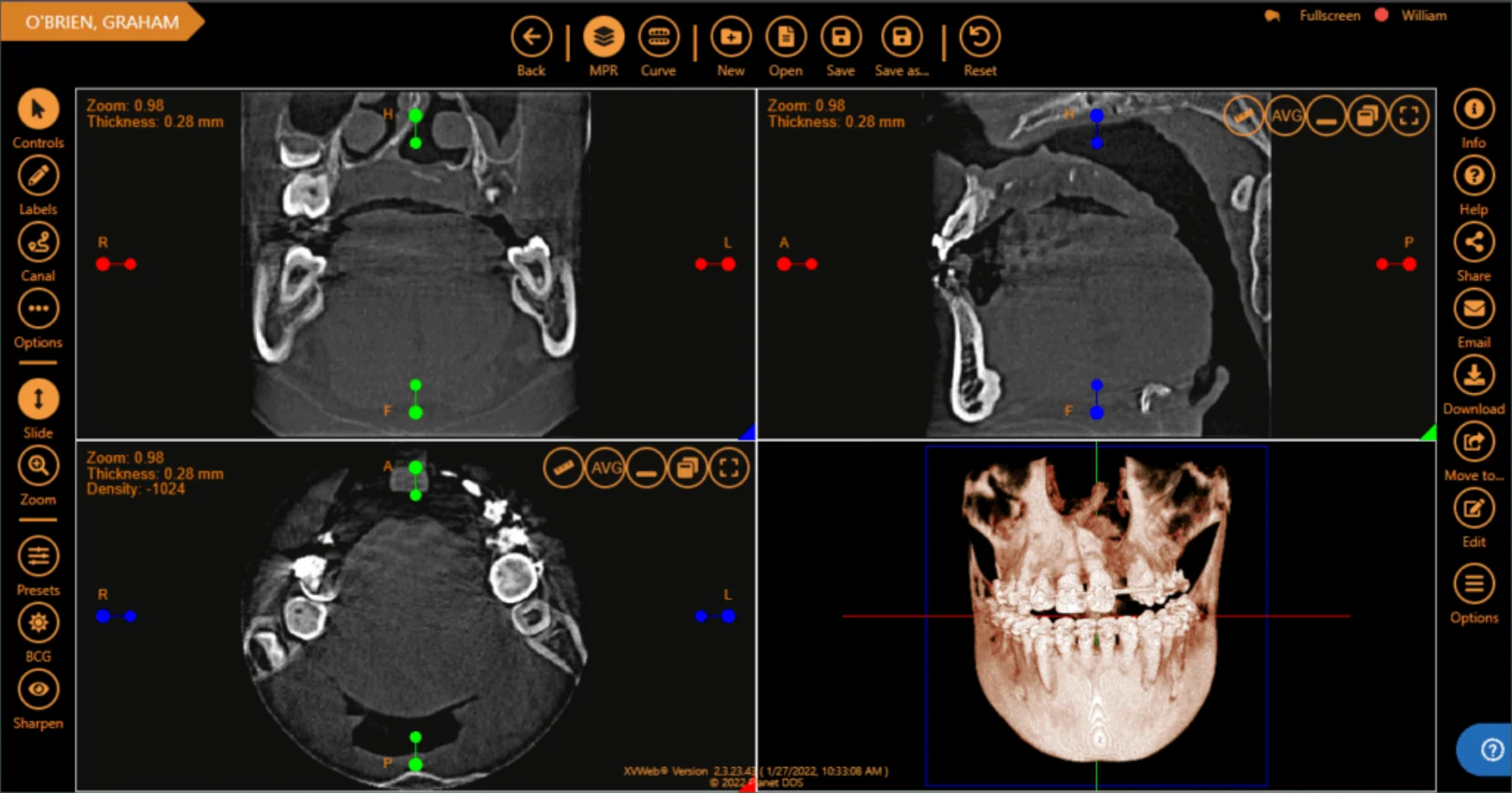
XVWeb 3D stores, opens, and plans from CBCT data on any compatible web-enabled device.
A secure imaging-sharing portal for referrals, specialists, and colleagues.
New in imaging
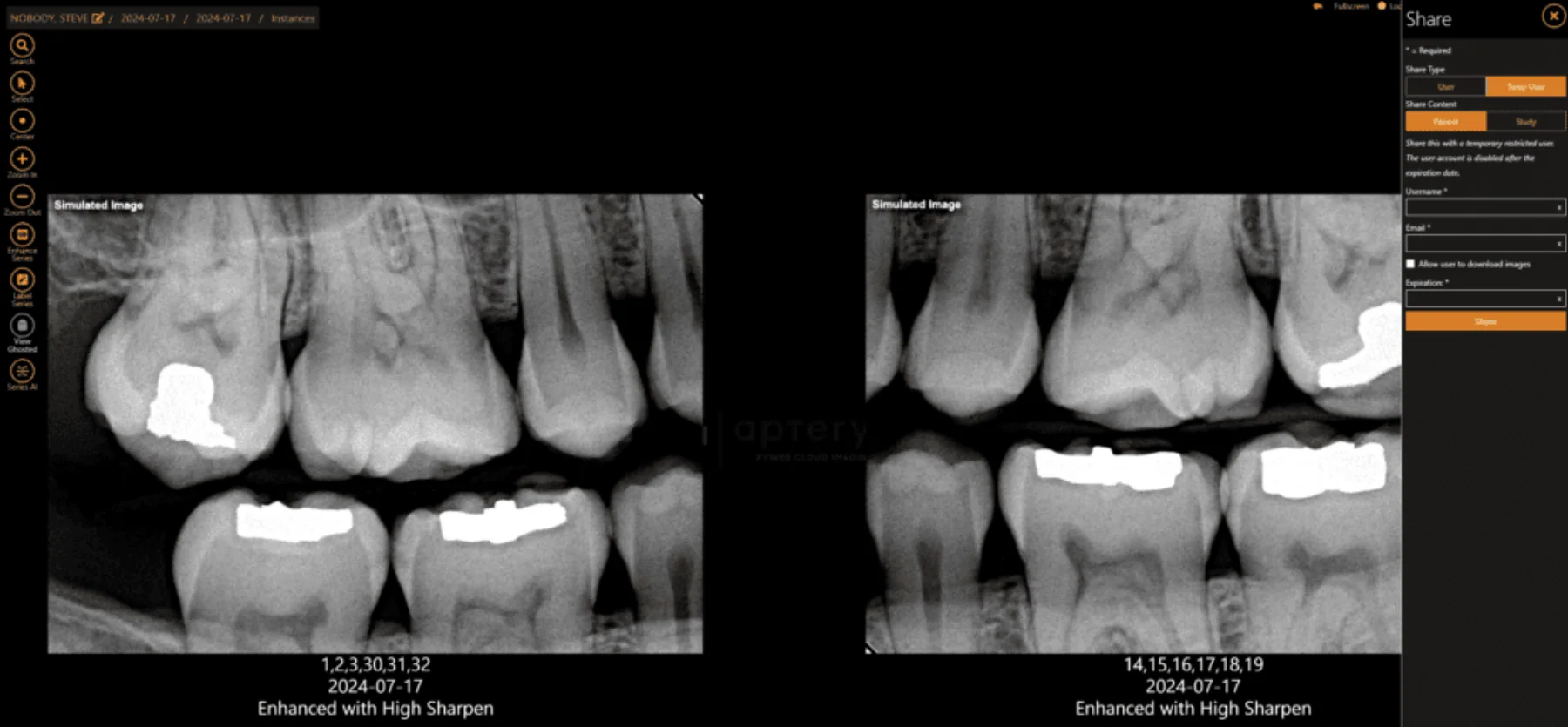
AI Smart Enhance uses AI to reduce background grain and sharpen anatomical detail, so bone levels, caries margins, and periodontal features stand out. It runs right inside your imaging solution.
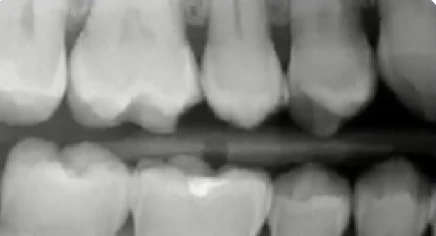
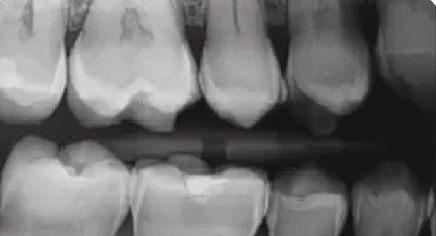 BeforeAI Smart Enhanced
*87%: in a blind head-to-head survey, 13 of 15 doctors preferred AI Smart Enhance images over a competing AI image enhancement solution. 97.6%: in a clinical evaluation, dentists preferred the enhanced image 97.6% of the time over the original image.
Works with the sensors you already have, so image quality holds up from office to office.
Cleaner detail from the first look means less manual tuning for your clinicians.
Clearer images help your teams show patients what they’re seeing, which supports trust and treatment conversations.
Diagnostic AI
We partner with industry-leading AI technologies so dentists, oral surgeons, hygienists, and office staff can see and share FDA-cleared pathologies directly in the viewer.
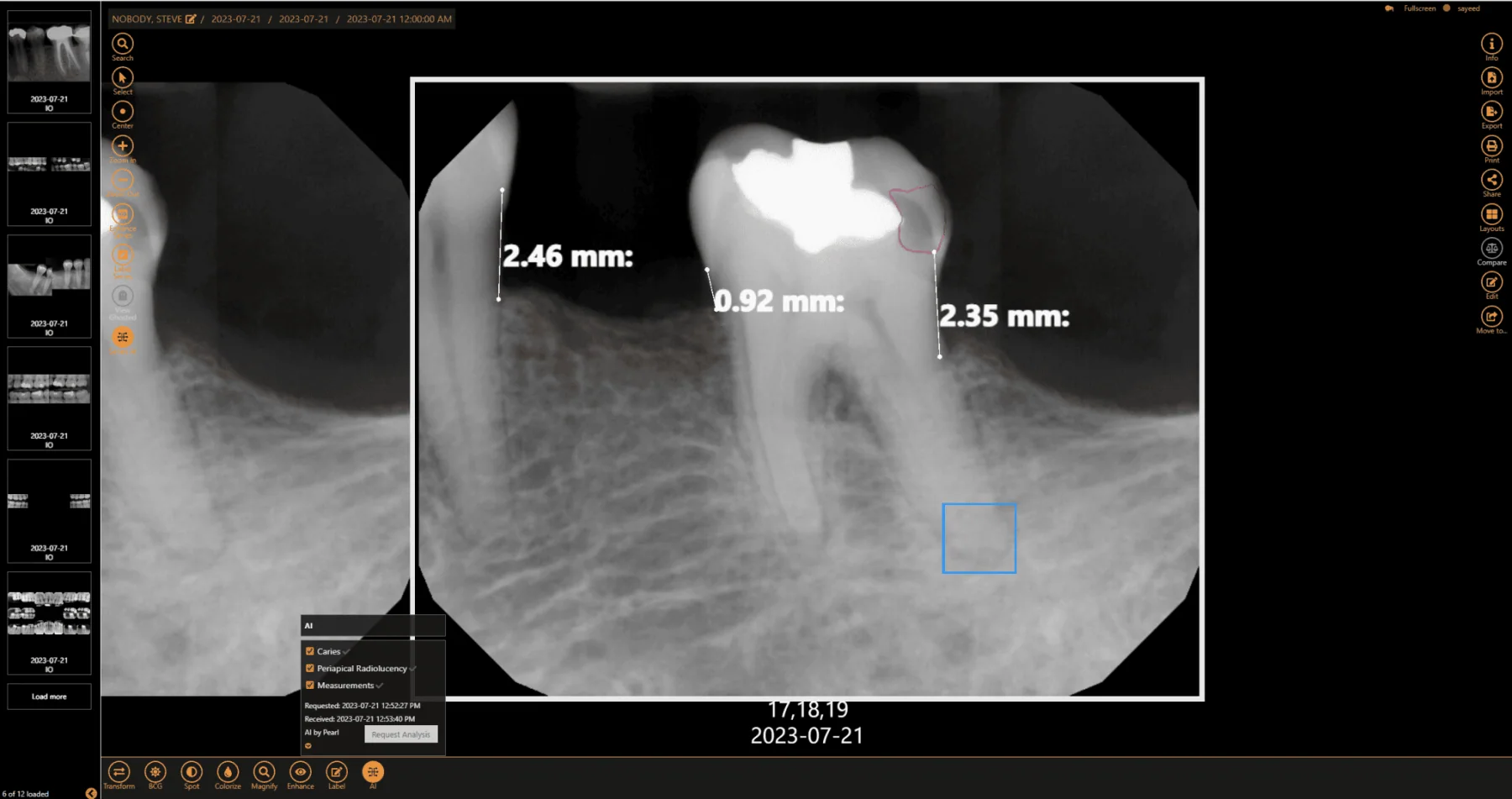
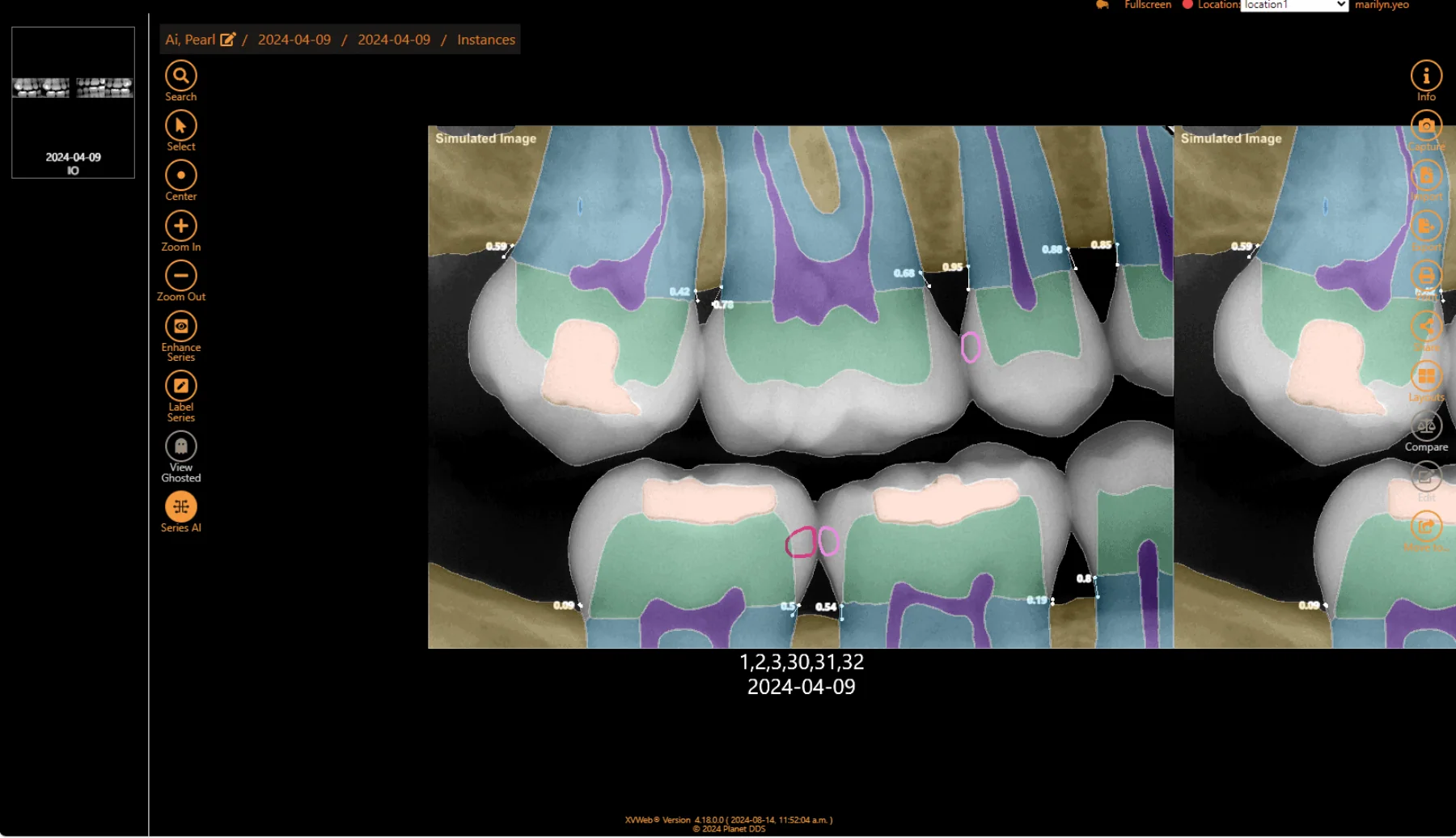
Within minutes, have more data than ever to guide your diagnosis with the patient chairside, and make it easier for patients to visualize areas of concern.
Increase the confidence of new associates and standardize the level of care across the whole practice with AI-supported clinical decisions.
Submit claims with greater confidence when the diagnosis is supported by quantified data.
View AI analysis from the imaging viewer inside Denticon, so no one toggles between systems.
AI findings come from partner technologies. Overlay availability depends on the partner and your plan. Sample images use fictional patients.
Analytics
The Analytics Dashboard is built into XVWeb, so DSOs can standardize imaging quality across locations, minimize retakes, find training gaps, and keep clinical consistency.
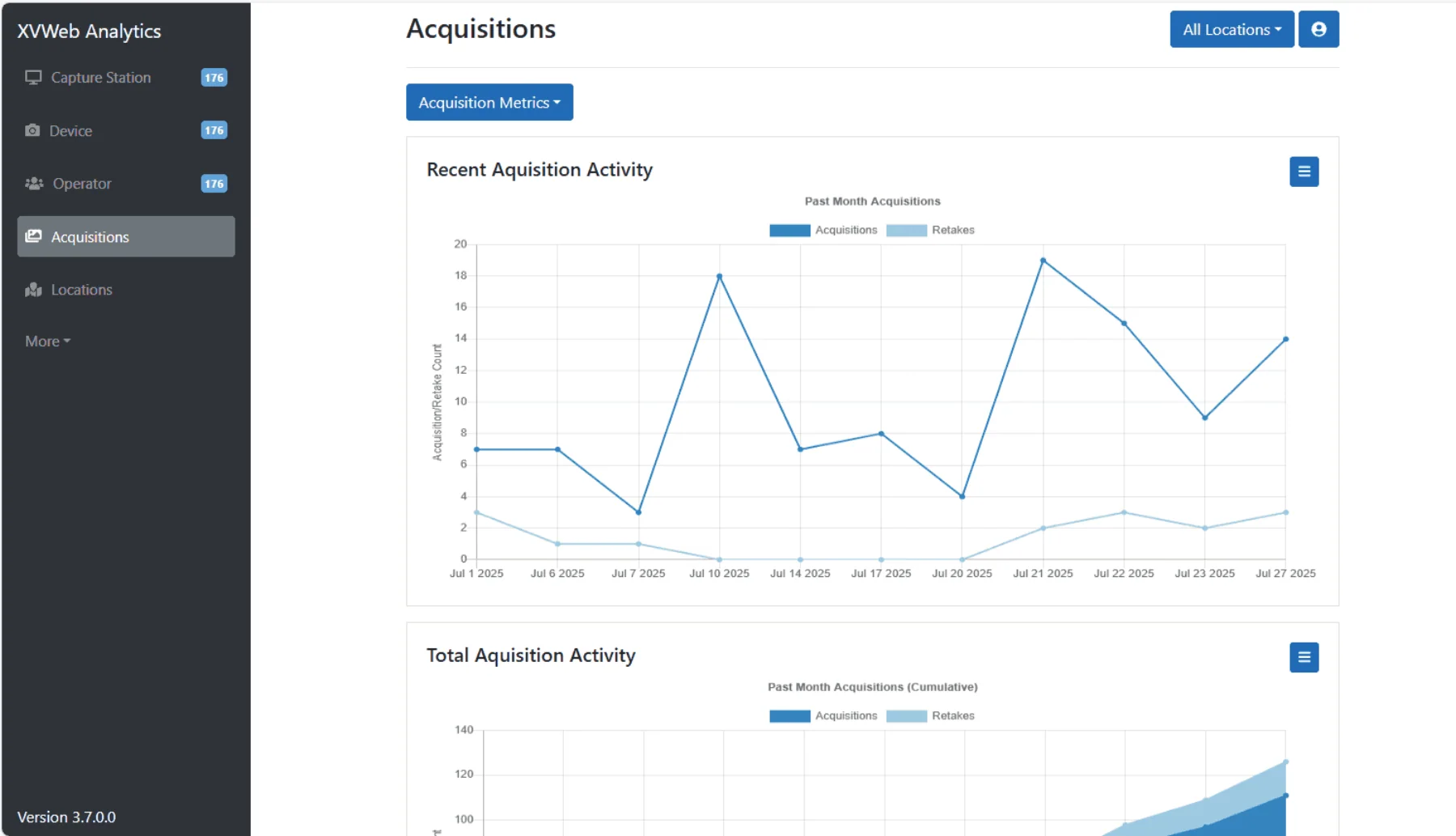
See what’s working and where support is needed.
Download performance reports for coaching, planning, or compliance.
Compatible with all XVWeb-supported hardware, with no switch required.
Purpose-built for multi-location groups, with a centralized view across clinics, providers, and stations.
Security and quality
Imaging is part of the patient record, so it is held to the same standards as the rest of the platform: independently verified security, certified quality management, and backups you never have to run.
Covered under the Planet DDS organization-wide SOC 2 Type 2 certification, independently verified for compliance and data security.
Certified for medical device quality management. Certificates are published on planetdds.com.
Secure, HIPAA-compliant 24/7 web access to your imaging database from a computer, tablet, or smartphone.
Offsite backups and disaster recovery keep your X-rays safely stored in the cloud, with no local server risk.
Capture and retrieve images through internet disruptions. Offline-captured images sync back to the cloud automatically.
A secure image-sharing portal protects patient data and your reputation while you collaborate and refer.
Sensors and integrations
Open architecture means you choose the best devices and practice management solution for your practice. Images are saved in the universal DICOM format, and TWAIN sources are supported in capture progressions.
Fully integrated sensors for XVWeb Capture, as of October 2026.
Bridge patient information from a wide variety of practice management packages into your imaging software. With Denticon, AI analysis from the viewer is visible inside the PMS.
Enable custom integrations and bridging to and from the web service through available API functions.
Configure it as an add-on to what you use today, for access to patient image records anywhere, any time.
Switching
An in-house implementation team guides you from account setup to go-live and beyond, with no downtime for your team. The test conversion happens behind the scenes, and your office captures new images in the cloud once the final conversion starts.
What to expect
All features
Guided captureCapture clean images with fewer clicks.
Capture series with guided progressions and live sensor status.
Use sensors from a wide range of manufacturers, now or in the future.
Keep capturing without internet, with automatic sync when it returns.
Capture, view, and enhance in one interface built for fewer clicks.
Capture TWAIN sources into progressions.
Save, upload, store, and share images in the universal DICOM format.
Bridge patient information from a wide variety of practice management solutions.
Move from outdated imaging systems with conversion and training handled for you.
ViewerReview and diagnose in the browser.
Apply custom clinical filters and image enhancement tools.
Measure and annotate directly on the image.
Use bitewing and series templates to keep layouts consistent.
Zoom, magnify, colorize, label, and compare in the browser.
Open images on a computer, tablet, or smartphone.
Reach your imaging database any time, from anywhere.
View series ghosted to compare across visits.
Enhance a full series with a preferred enhancement.
AI overlaysA second opinion, right in the viewer.
Reduce grain and sharpen detail, with the original radiograph never altered.
See FDA-cleared AI findings in real time inside the viewer.
Show patients easy-to-understand overlays on their own X-rays.
Get a second opinion on decay and tartar buildup.
Assess bone levels to support a periodontal diagnosis.
Support insurance claims with quantified data.
Standardize clinical decisions across providers and associates.
See the AI analysis from the imaging viewer inside Denticon.
3D imagingPlan treatment from the cloud.
Store and access CBCT data from any compatible web-enabled device.
Render volumes and move through slices in the browser.
Reconstruct curved slices and panoramic views.
Plan implants with an extensive library you can sort and favorite.
Trace the nerve canal as part of treatment planning.
Define presets by hardware manufacturer and image type.
Plan treatment without downloading CBCT files.
Access and share cone-beam and STL datasets online.
AnalyticsShare, audit, and stay compliant.
Share through a secure portal with an expiring temporary user.
Streamline referrals to specialists and colleagues.
See capture-station usage and retakes by user, device, and location.
Export performance reports for coaching, planning, or compliance.
Covered by the Planet DDS organization-wide SOC 2 Type 2 certification.
Certified for medical device quality management.
Back up offsite, with disaster recovery built in.
Lifetime support and all future updates are included.
AI AI-powered · Suite available through a DentalOS suite
Planet DDS Imaging, formerly Apteryx, is cloud-based, device-agnostic dental imaging software. It lets practices capture, view, edit, annotate, and securely share images from a browser, with embedded AI, 3D imaging, and an analytics dashboard.
Because it is cloud-based, your offices always run the latest version with no updates or upgrades to pay for, and you can cut IT spending by reducing or eliminating servers. As your DSO acquires practices, it stays compatible with whatever imaging devices and practice management solution they already use.
Turnkey implementation, updates, and annual maintenance reduce the burden on your IT team, and open architecture means you aren’t locked into proprietary hardware or software. Going cloud-based can significantly reduce or eliminate upfront capital costs for hardware, servers, and software.
It is compatible with all major imaging devices and practice management solutions. The integration list names the fully integrated sensors, and open architecture lets you choose the hardware and software you prefer.
With 3D imaging you can access and securely share cone-beam computed tomography (CBCT) and stereolithography (STL) datasets online, and complete all 3D interactions in the browser with a full suite of enhancement, annotation, and implant-planning tools.
AI Smart Enhance uses AI to reduce background grain and sharpen anatomical detail so bone levels, caries margins, and periodontal features stand out. Only the display changes, and your original radiograph is never altered. It is turned on per organization, and once enabled the button appears for all users.
We gather information, complete an initial database conversion that your office can review and approve, install the imaging software, and train users remotely. About two weeks later we complete the final database conversion, mapping data if needed, and on go-live day your office is ready to go.
Depending on your number of locations and the system you’re converting from, your practice can go live in 2 to 3 weeks. Conversion takes about 1 to 3 weeks for smaller practices and 4 to 6 weeks for larger DSOs and group practices. The initial test conversion happens behind the scenes and does not affect your practice.
All 2D imaging databases and most 3D imaging databases can be converted. Your Implementation Coordinator can confirm and schedule an appointment with a Conversion Technician.
Interactive web-based training for your staff. We ask that dentists, hygienists, dental assistants, and anyone who will be taking images attend, for the best results.

Ready for clearer images?
Enjoy clearer images, AI-driven insights, and smarter workflows. Schedule a personalized demo with our team.