Capture
Any sensor or scanner.
- Image capture from 100+ sensors and scanners
- Practices keep the devices they already have
- Offline capture continues without internet and syncs when it returns

Add-on suite — Imaging+ by DentalOS®
Cloud-based imaging for multi-location dental groups. It works with the sensors each practice already has, so imaging is standardized from day one, with no servers to run at any location.
Imaging+ at a glance
Available for Denticon and Cloud 9. Core includes imaging capture and viewing; Imaging+ adds 3D, analytics, and expanded storage. Read the Midtown Dentistry story
The patchwork
Whether you open it or acquire it, each location tends to end up with its own software, sensors, and storage. The cost builds quietly, until someone tries to see across the group.
Eight capabilities
One cloud platform, built into Denticon and Cloud 9.
Any sensor or scanner.
Imaging in the cloud, with no server.
CBCT without the server room.
Clearer images from the first open.
Audit imaging across the portfolio.
The imaging AI you choose.
AI ceph tracing for orthodontics.
Imaging where the chart already is.
Imaging appears in the same patient record as the chart, treatment plan, and billing history, so every connected location sees the complete patient. See Denticon
See it in action
Capture keeps working when the internet drops, images sync when it returns, and any connected location can open them, with no VPN or remote desktop.
Built into DentalOS
Imaging appears in the patient record and treatment plan, so there is no second system to check.
Cloud-native on Microsoft Azure, with no per‑location servers and no rip-and-replace of hardware.
Set it up once and deploy enterprise-wide, so every acquisition starts on the same standard.
How it works
Customer proof
Our patients can move from office to office, and we can access their images from all of our locations.
Imaging is standardized on day one of an acquisition, with no rip-and-replace
Per-location imaging servers retire, along with their backups and upgrades
A patient’s images open at any connected location
Clinical leaders see capture rates and image quality across the group
Up to 30% higher case acceptance, with AI findings patients can see during the consult
CBCT stays in the cloud for referrals and specialist coordination
Common concerns
At one office, it usually does. Across a group, every acquired practice brings its own software, sensors, and storage, and no one can see across them. Imaging+ puts a practice on one cloud platform from the day it joins.
No. Imaging+ works with 100+ sensor and scanner platforms, so a practice’s existing devices connect when it joins your group.
Offline capture saves images locally at the location and syncs them to the cloud automatically when connectivity returns, so clinical work keeps moving.
Imaging+ is AI-ready. It works with Pearl, Overjet, and VideaHealth, so you can add the AI you choose without a separate imaging implementation.
Yes. Imaging+ is DICOM-compatible, so images stay exportable, and they are stored on Microsoft Azure.
When it runs alongside Denticon or Cloud 9, imaging lives in the same patient record as the clinical chart, treatment plan, and billing history.
Imaging+ is cloud-based imaging for multi-location dental groups. It covers image capture, storage, and group analytics, works with 100+ sensor and scanner platforms, and stores imaging data on Microsoft Azure.
Yes. Imaging+ works with 100+ sensor and scanner platforms, so a practice’s existing sensors connect when it joins your group, with no rip-and-replace.
No. Imaging+ is cloud-native on Microsoft Azure. There are no per‑location servers to provision, maintain, or replace. The 3D Module provides 100GB of cloud CBCT storage per organization, replacing on-site server infrastructure for 3D imaging as well.
Yes. Because Imaging+ is cloud-based, imaging data is accessible from any connected location without VPN or remote desktop. A patient seen at one location has their imaging history available to providers at any other connected location.
Imaging+ includes an offline capture mode. Images are saved locally at the location when there is no internet connection and sync automatically to the cloud when connectivity is restored. This ensures clinical continuity at locations with intermittent connectivity.
Analytics provides group-level imaging intelligence, including cross-location imaging capture rates by provider and location, image quality trends, diagnostic utilization, and AI engagement rates. This data is only possible when imaging runs on a unified platform; per‑location systems cannot produce cross-portfolio analytics.
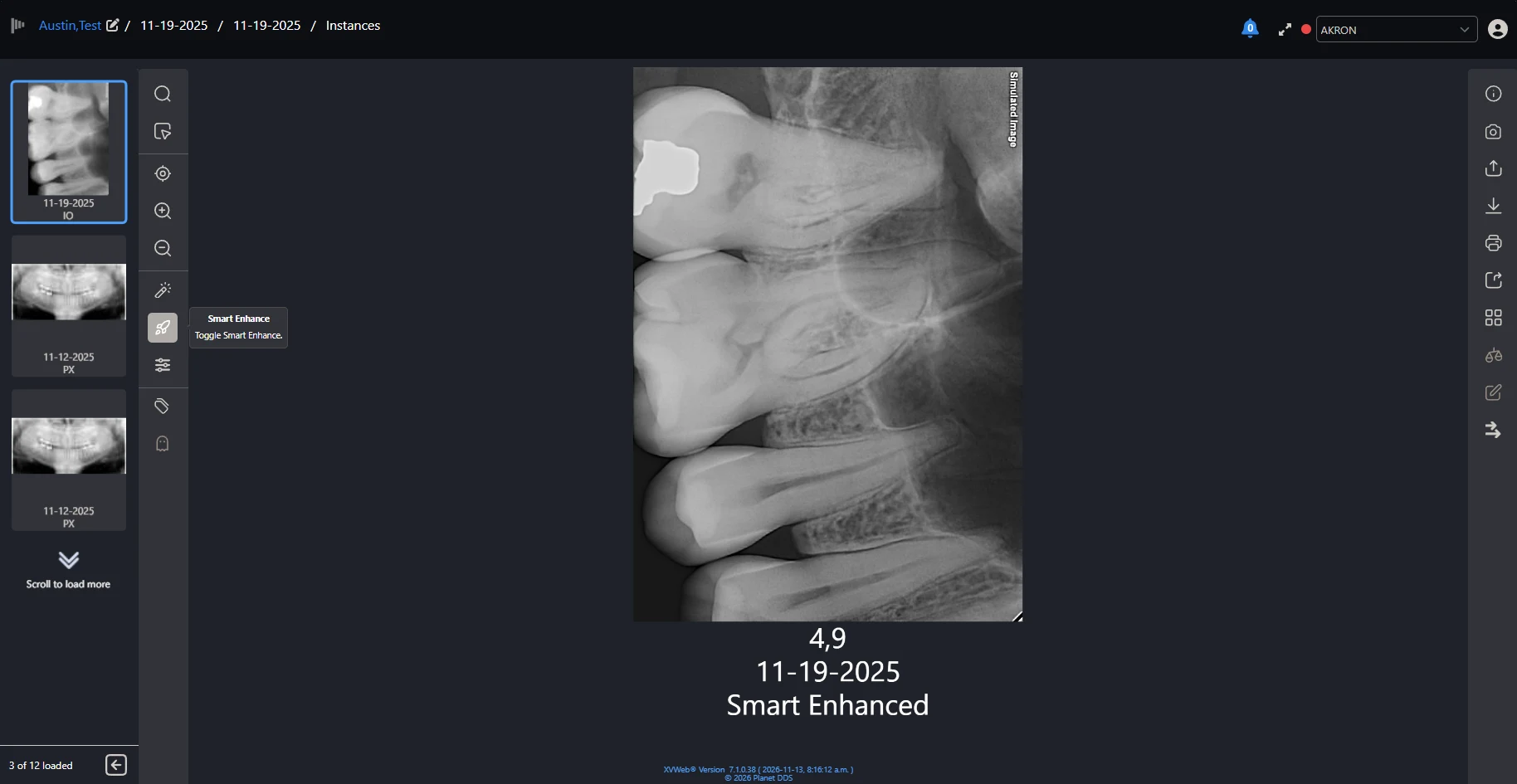
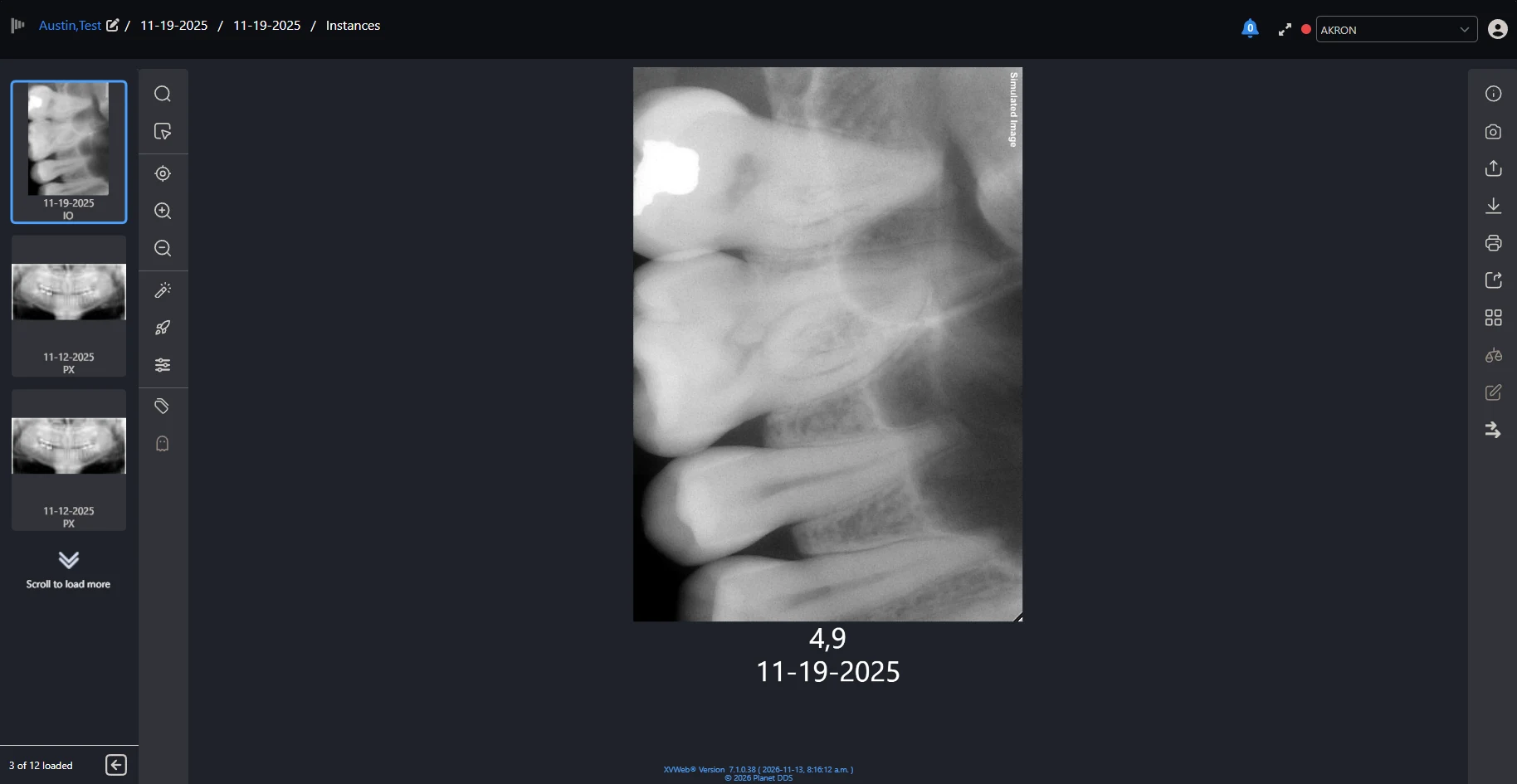
Smart Enhance does the manual image adjustment for you. Not every X-ray comes out clean, with low contrast, noise, or an exposure that is a little off, and clinicians usually adjust each image by hand. With one click on the Smart Enhance icon, the viewer cleans up every image in the series you have open, with less noise and clearer contrast. Each image is labeled as smart enhanced, and clicking again brings the originals back.
Your office decides how it behaves. Turn on smart enhanced mode for a location, then choose whether enhanced images show by default or only when someone asks for them. It works on images captured from a sensor and on imported images, and you can switch it on or off one image at a time.
Yes. Smart Enhance is available now in the Denticon image viewer and in Apteryx imaging.
Yes. Imaging+ integrates with AI diagnostic partners including Pearl, Overjet, and VideaHealth. The platform is AI-ready, meaning organizations can add diagnostic AI without a separate imaging implementation. AI findings from FDA-cleared partners Pearl and Overjet appear in real time in the imaging workflow, and Apteryx cites up to a 30% case acceptance increase with AI-assisted imaging.
Yes. Apteryx is part of the DentalOS platform. When it runs alongside Denticon or Cloud 9, imaging data lives in the same patient record as the clinical chart, treatment plan, and billing history, giving every connected location a complete view of the patient. Imaging+ unlocks advanced capabilities beyond the Basic Imaging tier included in Denticon and Cloud 9.
Yes. The 3D Module includes 100GB of cloud CBCT storage per organization, replacing per‑location CBCT servers. CBCT is available at any connected location for referrals and specialist coordination, and offline capture and auto-sync keep 3D imaging reliable at locations with intermittent connectivity.
Yes. Imaging+ is built specifically for multi-location dental groups and DSOs. Cloud storage scales with the organization, there is no per‑location hardware to provision, and 100+ device integrations mean no acquisition creates an imaging compatibility problem. Group-level analytics give clinical and operational leaders visibility across the entire portfolio.

Book a walkthrough of Imaging+ on your own sensors and locations.